
MailTrace Blog
Email evidence workflows, chronology intelligence, and investigation guides.
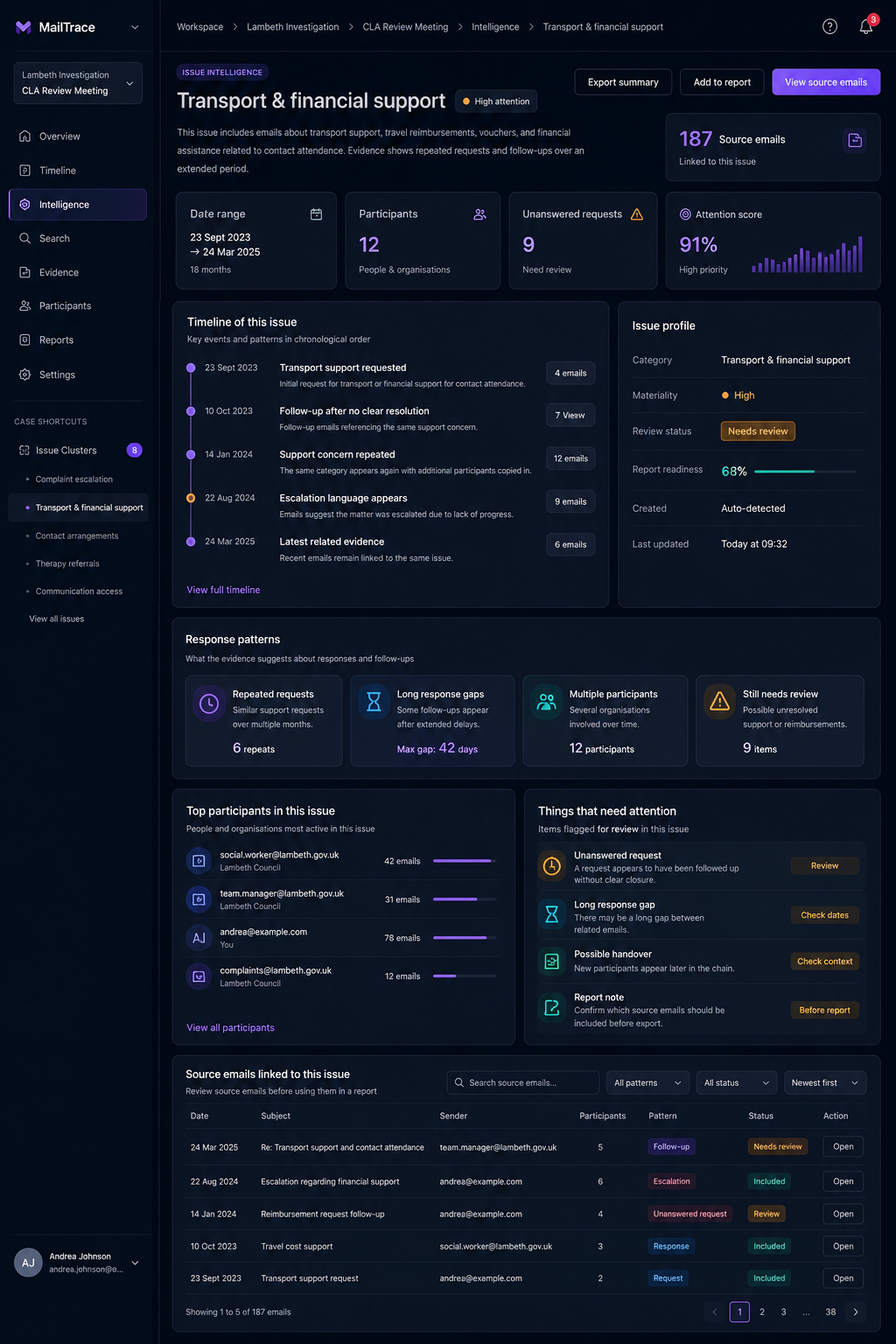
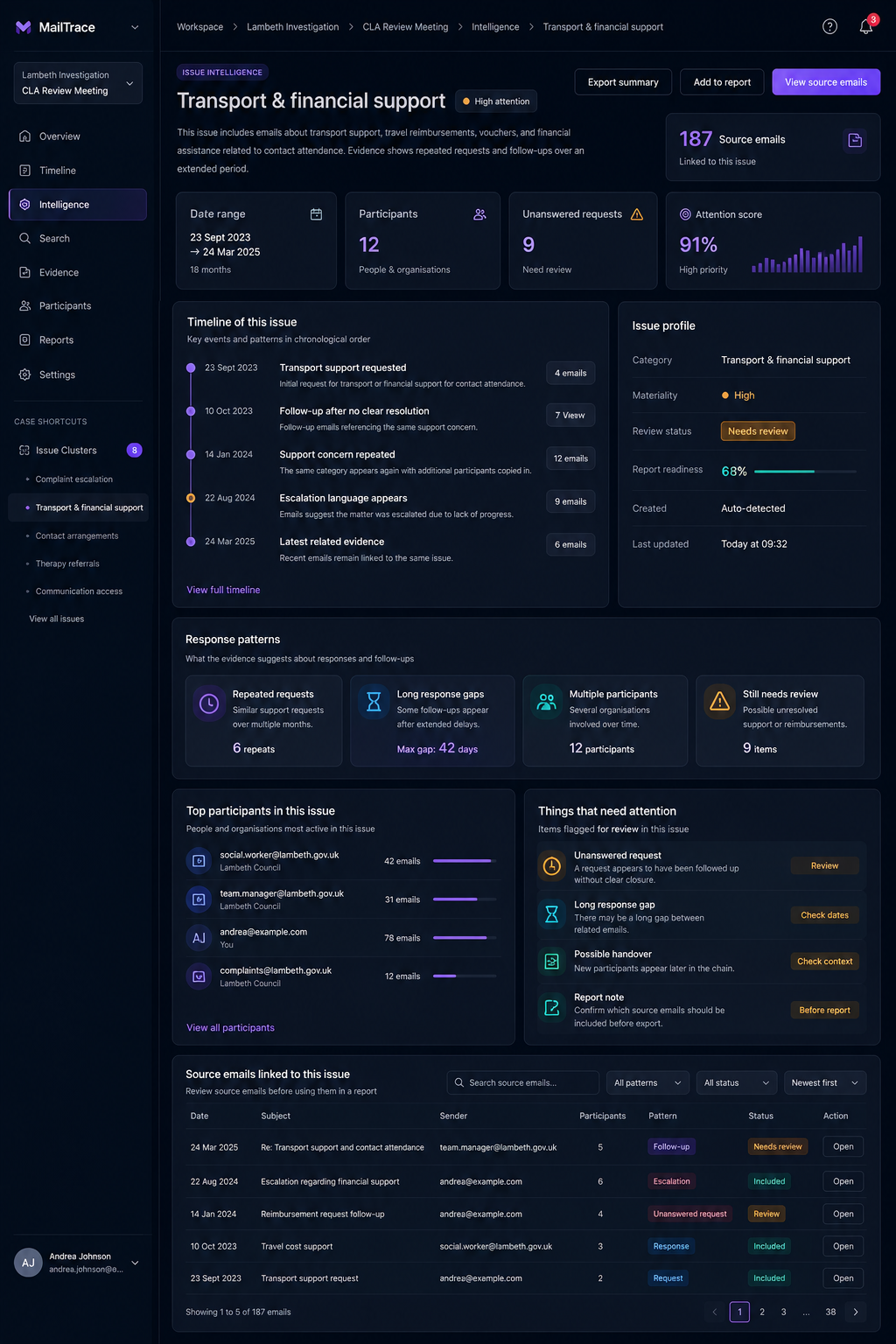
This publication hub explains how MailTrace helps teams reconstruct chronology, group recurring evidence, trace participants, review source-linked attachments, surface unanswered requests, and prepare export-ready reports.
Tag Map
Topic groupings for search engines and readers
Use these clusters to jump to the content that matches your search intent.
Featured Articles
Priority pages for high-intent search terms
Category page
7 min read
Best Email Productivity App for Case-Driven Teams
A category-positioning article that explains why MailTrace fits teams that need structure, not just faster replies.
Feature page
6 min read
Why Email Timeline Software Changes How Teams Review Work
A practical page about chronology, sequence, and the review advantage of a timeline-first email product.

End-user guide
8 min read
MailTrace Features Guide for End Users
A clear feature explainer covering issue groups, timelines, participants, evidence, search, and reports.
Productivity Cluster
MailTrace as an email productivity app
Articles aimed at teams searching for better inbox productivity and organization.
Best Email Productivity App for Case-Driven Teams
Positioning MailTrace as a productivity platform for structured work rather than shallow inbox speed alone.
Email Organization Software for Teams That Need More Than Folders
Explains why categories, participants, evidence, and timelines outperform basic folder-based organization.
AI Email Assistant With Citations: Why Traceability Matters
Shows how AI support becomes more useful when answers point back to the underlying email record.
Workflow Cluster
Timelines, follow-ups, and attachment control
Why Email Timeline Software Changes How Teams Review Work
Understand the operational benefit of reconstructing events in order instead of relying on scattered searches.

How To Track Follow-Ups and Unanswered Requests in Email
Use MailTrace to see open loops, promised actions, missing replies, and who still owes a response.
Attachment Tracking and Email Evidence: A Practical Workflow
Learn how attachments fit into the same traceable workflow as the messages that sent them.
Email Reporting and Export Workflows for Teams
Why fast report generation matters when several stakeholders need the same email story in a usable format.
Operations Cluster
Better than a shared inbox when the work is complex
Shared Inbox Alternative for Investigations and High-Stakes Reviews
Compares routine inbox collaboration to structured review work that needs timelines, evidence, and exports.
Email Reporting and Export Workflows for Teams
Explains how reporting closes the loop between review work and decision-making.
How To Track Follow-Ups and Unanswered Requests in Email
Shows how productivity improves when response debt is visible instead of buried in threads.
Evidence Cluster
Searchable content for evidence, chronology, and review
Email Evidence Management Software: What To Look For
Defines the practical capabilities teams need when emails become records that must be searched, explained, and shared.
Why Email Timeline Software Changes How Teams Review Work
Explains how sequence and timing improve confidence in email review.
Attachment Tracking and Email Evidence: A Practical Workflow
Shows how supporting files stay linked to the surrounding email context.
MailTrace Guides
Posts that explain the product to end users
MailTrace Features Guide for End Users
A practical introduction to the actual workflow inside the product.
Email Evidence Management Software: What To Look For
Feature-led content about keeping email context, participants, attachments, and exports connected.
Shared Inbox Alternative for Investigations and High-Stakes Reviews
Clear category language for teams comparing MailTrace to conventional collaborative inbox tools.
Email Organization Software for Teams That Need More Than Folders
Explains the everyday user benefit of organized workspaces over loose thread management.
Next Step
Want to see how MailTrace works on real email review problems?
Start with the feature guide, then explore the timeline, evidence, and export articles. When you are ready, request access and test the workflow in the workspace.