
MailTrace Features Guide for End Users
MailTrace is built to help users turn email history into clear, usable work. Here is what that means in practice.
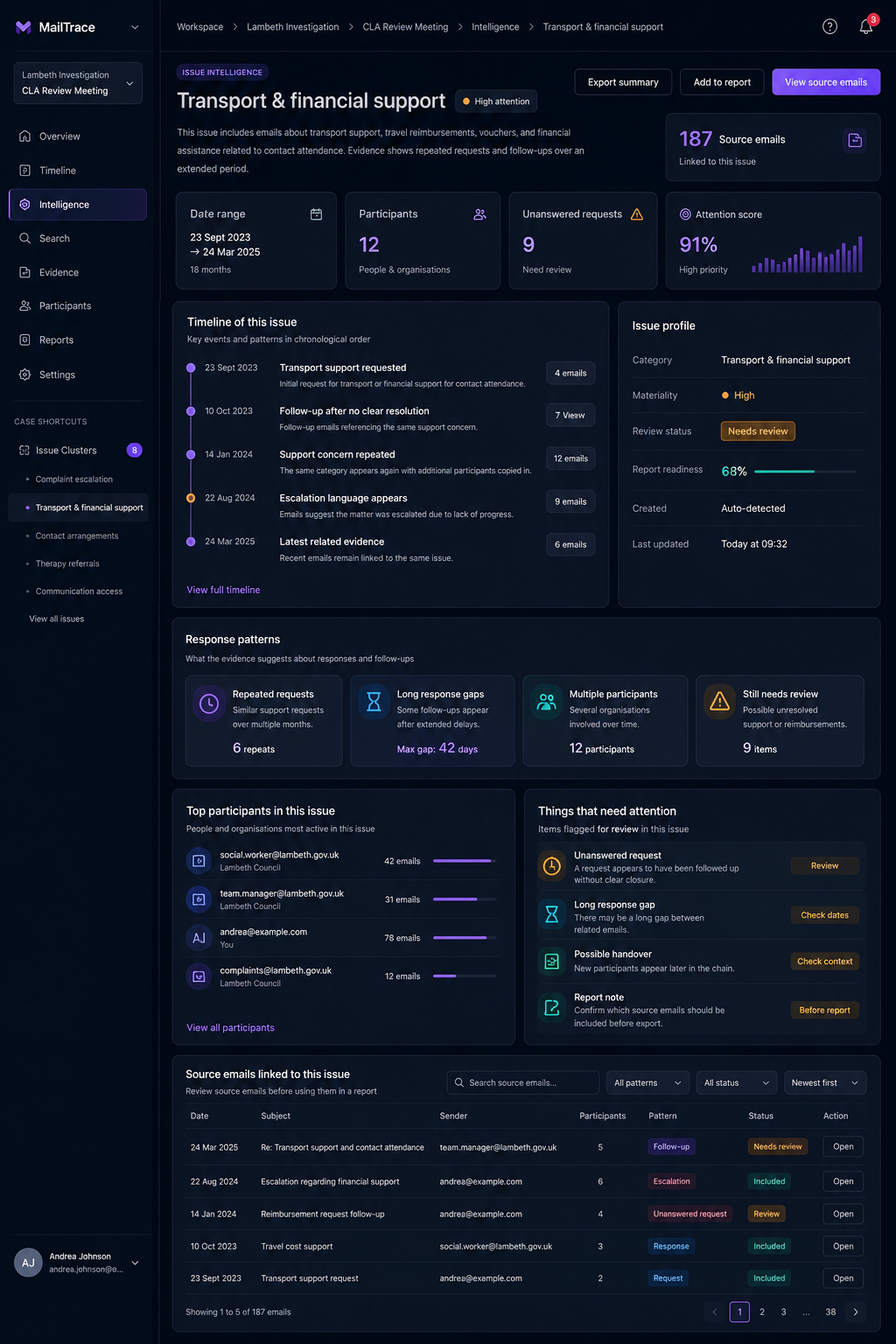
1. Issue groups
MailTrace groups related email activity into issues so users can review one problem at a time instead of opening dozens of scattered messages.
2. Timeline views
The timeline shows how the matter unfolded. Users can understand the order of events quickly and avoid mistakes caused by reading messages out of sequence.
3. Participant context
Participant views make it easier to see which people or organizations are central to the matter, which ones appear later, and how communication patterns shift across time.
4. Evidence and attachments
Emails and attachments stay linked. That helps users keep supporting files in context instead of saving disconnected copies.
5. Response gaps and open loops
MailTrace helps users surface unanswered requests and missed follow-ups so action items do not stay buried inside long threads.
6. Search and review
Search becomes more powerful when the data is already organized. Users can review by case, issue, participant, and evidence, not just by keyword alone.
7. Reports and exports
When the review is done, MailTrace supports export-ready output so the same work can be shared without manual reassembly.
What the user gets overall
The main end-user benefit is confidence. Instead of working from an unstructured inbox, users work inside a system that helps them understand, explain, and act on the email record.