
Why Email Timeline Software Changes How Teams Review Work
Sequence changes meaning. A timeline makes the review faster because the user can stop guessing what happened first.
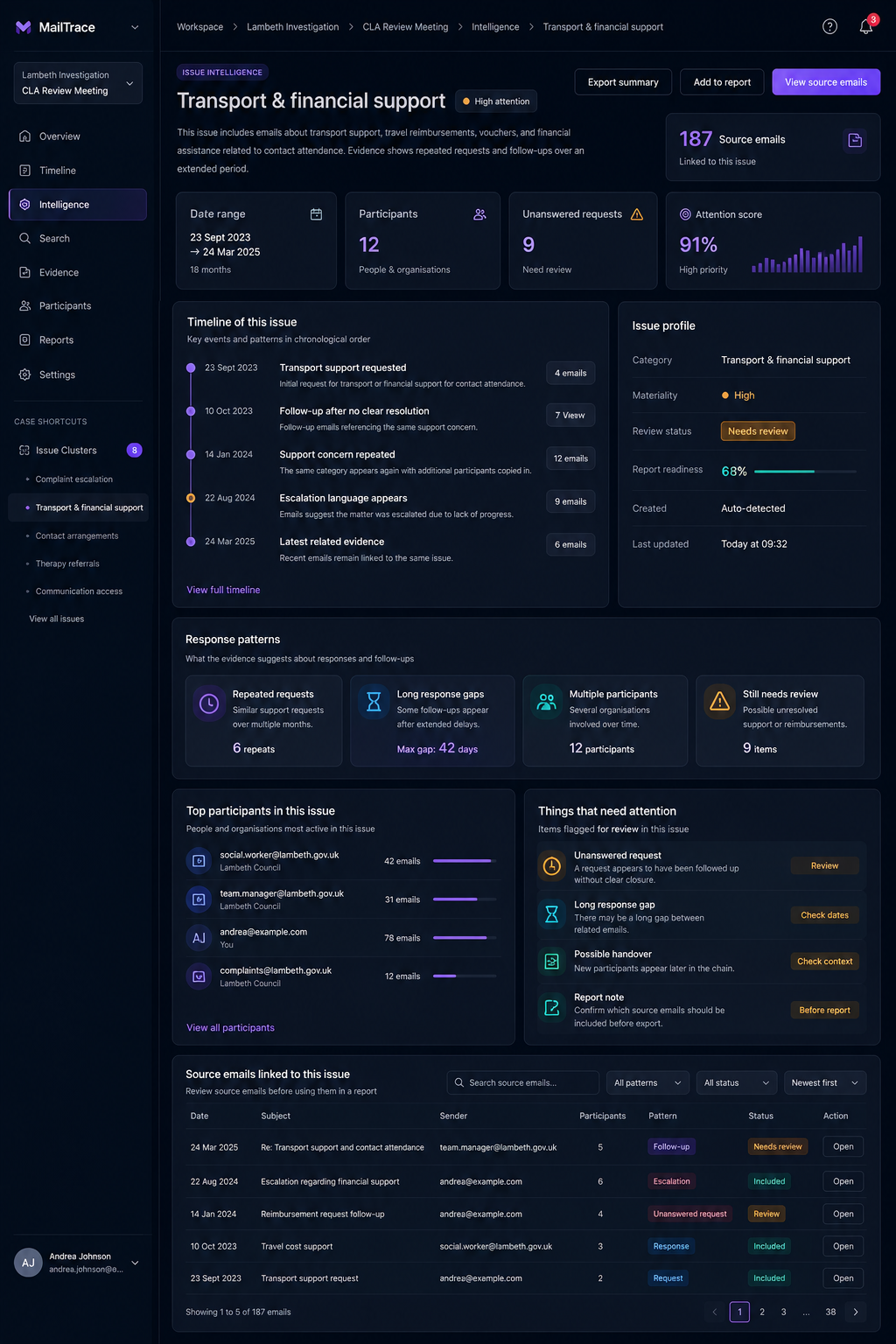
Email is often reviewed as a list. The problem is that lists flatten context. They make it harder to see sequence, causality, pauses, and escalation. A timeline restores those relationships.
Why chronology matters
An answer before a warning means something different from an answer after it. An attachment sent before approval means something different from the same attachment sent afterward. In operational reviews, those differences are not cosmetic. They can change the conclusion.
What timeline software should do
- Order messages reliably across threads.
- Keep events connected to attachments and participants.
- Show clusters of activity and visible gaps.
- Let the user move from high-level overview to message-level proof.
MailTrace is designed around that workflow. The user can inspect a full sequence, then jump directly into the issue, participant, evidence, or report surface that needs follow-up.
Why a timeline is productive
Timelines reduce re-reading. Instead of opening five threads and building a mental model from scratch, the reviewer gets one ordered view that already answers the first question: what happened, and when?
MailTrace in practice
MailTrace combines timeline views with issue grouping, participant analysis, and evidence handling. That makes the chronology useful beyond the screen itself. It becomes the backbone of the rest of the review process.